- Published on:
- October 12th 2026
- Published in:
- Informational

Universities manage thousands of assets, rooms, specialist facilities and shared resources. When bookings are handled through spreadsheets, email or disconnected systems, it becomes difficult to know what is available, who is using it, where equipment is located, whether it is safe to use, and when it needs maintenance.
University equipment and resource booking software brings these processes together in one system.
But not every booking platform is designed for the complexity of higher education. A university may need to manage everything from cameras and laboratory equipment to lecture rooms, computers, workshops, vehicles and specialist facilities — while also controlling permissions, training, risk assessments, maintenance and reporting.
This guide explains what to look for when choosing university equipment and resource booking software.
What is university equipment and resource booking software?
University equipment and resource booking software is a platform that allows staff and students to find, reserve and manage shared resources while giving administrators visibility and control over those resources.
Depending on the system, resources can include:
- Specialist laboratory equipment
- Cameras and media equipment
- Computers and IT equipment
- Classrooms and lecture rooms
- Laboratories and workshops
- Vehicles
- Machinery
- Staff or technical support
- Consumables
- Other shared university assets
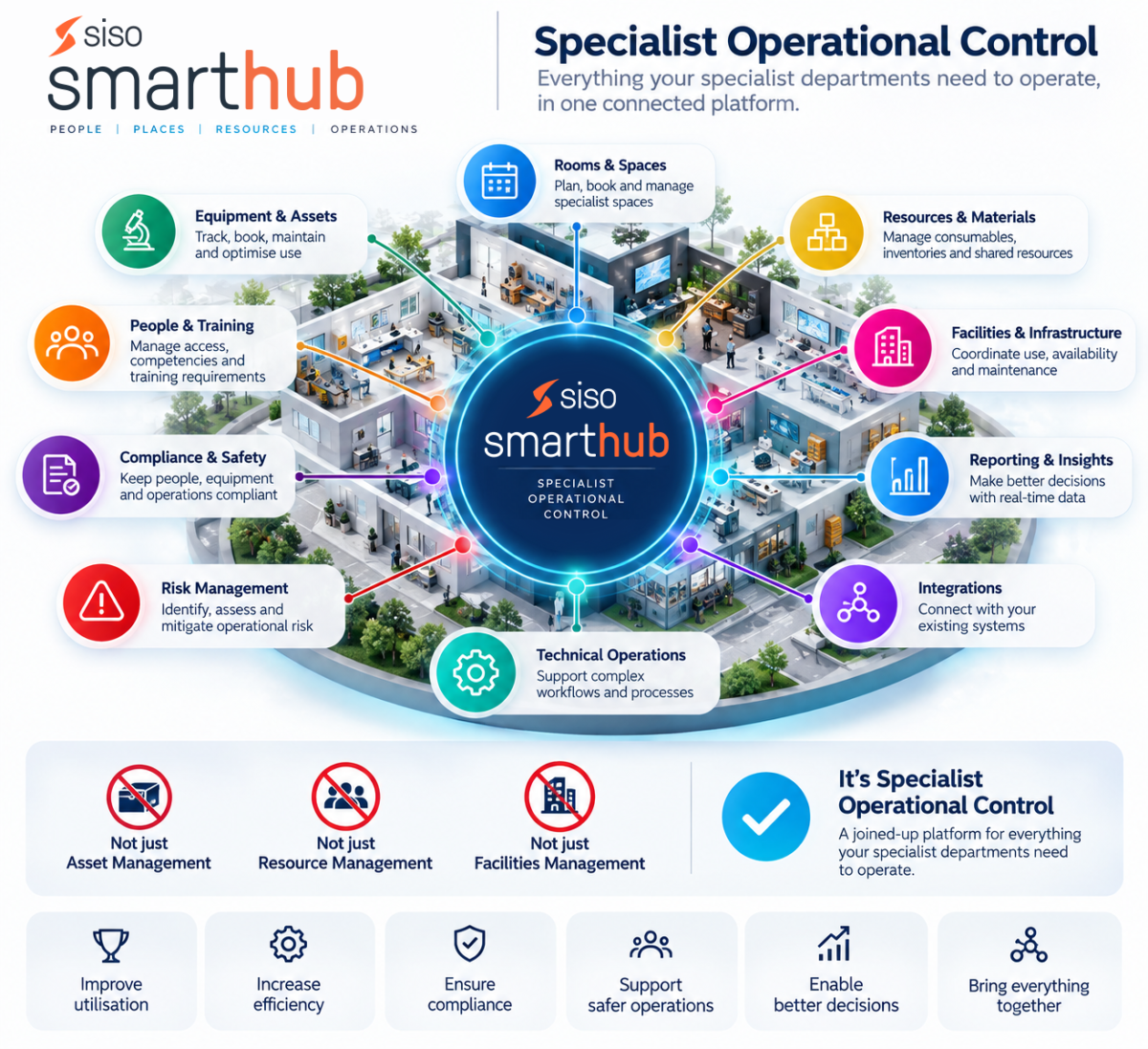
The most useful systems go beyond simple calendars. They combine booking with asset management, maintenance, compliance, permissions, reporting and integrations.

What should universities look for?
A university should assess at least eight areas when comparing resource booking systems.
Equipment and resource booking
Users should be able to search for available resources and make bookings without relying on administrators to manage every request.
Look for:
- Real-time availability
- Recurring bookings
- Multi-resource bookings
- Booking rules
- User permissions
- Approval workflows
- Calendar views
- Mobile access
- QR-code or barcode functionality
Room and space management
A university’s booking requirements rarely stop at equipment.
The platform should ideally support classrooms, laboratories, studios, workshops, specialist facilities and other spaces alongside physical assets.
Integration with timetabling can also help prevent clashes between teaching schedules and resource bookings.
Asset management
Booking tells you who is using something. Asset management tells you what the organisation owns and what happens to it throughout its lifecycle.
Useful capabilities include:
- Asset registers
- Asset locations
- Ownership
- Condition tracking
- Audits
- Depreciation
- Barcode and QR-code identification
- Maintenance records
- Lifecycle history
This distinction is important when comparing ordinary room-booking tools with platforms designed for complex university operations.
Maintenance and compliance
Specialist equipment often needs inspection, servicing, testing or other checks before it can be used.
A university system should therefore be able to connect assets with maintenance schedules, safety information and relevant compliance processes.
For laboratory environments, additional capabilities may include chemical management, safety data sheets, sample management and CoSHH processes.
Permissions and access control
Universities have different groups of users with different requirements.
For example, a postgraduate researcher may need access to equipment that an undergraduate student cannot book without training.
Look for the ability to define rules based on factors such as:
- Department
- Course
- User group
- Training status
- Resource type
- Location
- Booking duration
- Availability
This allows the institution to control access without turning every booking into a manual administrative process.
Reporting and utilisation data
A booking system should help answer questions such as:
- Which equipment is being used most?
- Which rooms are under-used?
- When are resources busiest?
- Which assets generate the most maintenance?
- Are we buying equipment that we already have?
- Where are resources located?
- How often are bookings cancelled or unused?
Good reporting turns booking data into information that can support purchasing, budgeting, staffing and estate-management decisions.
Integrations
A resource-management system should not become another isolated database.
Check whether the platform can integrate with systems already used by the institution, including:
- Timetabling systems
- Identity and single sign-on systems
- Calendars
- Student or staff directories
- Payment systems
- Reporting platforms
- APIs and other internal systems
Implementation and support
Higher education implementations can involve multiple departments with different processes.
The supplier should therefore be assessed on more than software features.
Ask:
- Who manages implementation?
- Is data migration supported?
- Is training included?
- Can the system be configured for different departments?
- Is there a dedicated support team?
- Can the system scale across multiple campuses?
- Can new modules be introduced later?
Booking software vs Asset Management software
One of the most important questions is whether a university needs a booking tool or a broader asset-management platform.
A basic booking tool may answer:
“Is this room available at 2pm?”
An enterprise resource-management platform can answer:
“Where is this equipment, who can use it, is the user trained, when was it last inspected, when does it need maintenance, how often is it booked, and what other resources are required?”
For institutions managing specialist equipment, the second set of questions can be much more important.

Example: Managing equipment across university departments
Imagine a university with photography, film, engineering and media departments. Each department has different equipment, users and booking rules.
A suitable platform should allow the university to:
-
-
-
- Maintain one inventory of assets.
- Assign equipment to locations and departments.
- Allow authorised students and staff to book equipment.
- Apply different rules to different user groups.
- Link training or safety requirements to access.
- Track equipment condition and maintenance.
- Record returns and usage.
- Report on utilisation.
- Identify under-used or over-subscribed resources.
- Expand the system to additional departments over time.
-
-
This is considerably more sophisticated than putting a shared calendar online.
University examples
The strongest way to evaluate any university software platform is to look at real implementations.
The University of Kent needed a solution covering university-wide asset management while allowing students to book equipment for different courses.
The project involved 20 departments with different requirements. Smarthub was selected after a tender process, with capabilities including 2D mapping, barcode and QR-code functionality and implementation support among the factors considered.
The university subsequently rolled the system out across multiple departments.
Bournemouth University needed to replace manual processes with a web-based resource-management system capable of handling a high volume of requests.
The resulting implementation covered more than 4,000 assets and more than 2,000 students, including equipment booking, resource allocation, tracking and maintenance.
These examples illustrate why higher education resource management can require considerably more than a simple room-booking calendar.
University resource booking software checklist
Before selecting a platform, ask potential suppliers whether their system supports:
| Requirement | Why it matters |
| Equipment booking | Lets users reserve shared assets |
| Room booking | Manages physical spaces alongside equipment |
| Asset register | Provides visibility of owned resources |
| Maintenance | Reduces unexpected downtime |
| Permissions | Controls who can access resources |
| Training controls | Prevents unsuitable users booking specialist equipment |
| QR/barcode support | Makes physical asset management easier |
| Floor plans | Helps users find resources and understand availability |
| Reporting | Supports utilisation and purchasing decisions |
| Timetabling | Reduces clashes with teaching schedules |
| Mobile access | Allows users to manage resources away from a desk |
| Integrations/API | Connects the platform to existing systems |
| Implementation support | Reduces the risk of a difficult rollout |
| Multi-department support | Allows different university teams to operate within one platform |
Questions to ask before buying
Before choosing a supplier, ask:
Can it manage both rooms and equipment? If not, you may end up maintaining separate systems.
Can booking rules vary by user group? This is particularly important for specialist equipment and teaching environments.
Can the system track an asset throughout its lifecycle? Booking alone does not tell you where an asset is, whether it is maintained or whether it should be replaced.
Can we integrate it with our existing systems? Check calendars, timetabling, identity systems, reporting platforms and APIs.
Can we start with one department and expand? A phased rollout can make adoption easier for large institutions.
What happens after implementation? Ask about onboarding, training, data migration, support and configuration.
The bottom line
The best university equipment and resource booking system is not necessarily the platform with the biggest calendar or the most attractive booking interface.
For complex higher education environments, the important question is whether the system connects booking, assets, people, spaces, maintenance, compliance and data.
Universities should therefore compare platforms against their entire operational workflow rather than looking at booking functionality in isolation.
For institutions looking for a platform that combines resource booking with enterprise asset management, Siso Software’s Smarthub is designed specifically around this broader requirement.